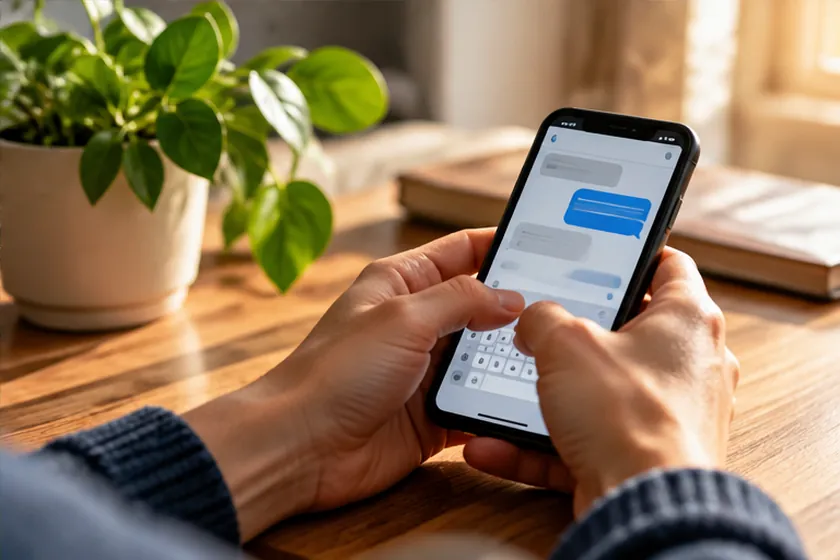

A familiar morning scene — and a quick start
You wake, stretch, and reach for the phone. Before the email notification clears the screen, your brain is already threading imagined to-do lists, meetings, and small crises into the rest of your day. The laptop is open before your morning coffee; the first 30 minutes become a blur of urgent tasks that arrived overnight.
Quick start: Before you open your laptop, pause for one to five minutes to do three things — ground, hydrate, and choose one priority. If you can spare five to ten minutes, add a short movement, a tidy of your workspace, and a 60-second written priority. These small steps help you start work from choice rather than reactivity. For another small practice, explore FRELUMO Daily Steps.
Why a short pre-laptop ritual can help (without promising a cure)
A tiny pause between leaving home-mode (sleep, family time, errands) and entering work-mode creates a clearer boundary. That boundary can reduce the feeling of being pushed by notifications and help you begin with intention. Many people find brief routines useful because they set a mental anchor: a single action that signals the brain it’s time to shift focus.
These steps are practical habits, not therapeutic interventions. If you are concerned about persistent anxiety, overwhelm, or other mental health issues, consider reaching out to a qualified professional. For general emotional wellness background and self-care ideas, the NIH Emotional Wellness Toolkit offers accessible strategies; for practical stress-management suggestions, the CDC’s guidance on living with stress is a useful reference for everyday steps. For broader context, the NIH Emotional Wellness Toolkit offers general background, not proof about this exact practice.
A simple step-by-step pre-laptop routine (5–10 minutes)
This routine is designed to be realistic for typical mornings. Each numbered item is short — many are one minute or less — and you can skip or shorten elements as needed.
1) Move your body (1–2 minutes)
- Stand up and stretch, roll your shoulders, do a quick calf stretch, or take two shallow lunges. Movement wakes circulation and helps shift attention away from night-mode thinking. If you sit all day, prioritize an extra minute of shoulder and spine mobility.
- Easy version: Tilt your chin up and down, and shrug your shoulders for 30 seconds if you’re tight on time.
2) Hydrate (30–60 seconds)
- Drink a glass of water, or make a small hot drink. Hydration is a simple physical reset after sleep and can reduce grogginess.
- Accessibility note: If getting out of bed is hard, keep a water bottle by the bed and sip before you reach the desk.
3) One-minute tidy (60 seconds)
- Clear the surface where you’ll place your laptop: remove dishes, fold a blanket, push away clutter that will compete for attention. A visible tidy reduces visual friction and makes the workspace feel intentional.
- If you share space, a brief check that shared surfaces are respected can prevent small interpersonal stresses later (see a fuller discussion in our piece on creating calm mornings in small apartments).
4) Do a 60-second priority check (60 seconds)
- Take a minute to name the single most useful thing you could do first. Write it on a sticky note, type a one-line task, or speak it aloud. Making a small explicit choice reduces the temptation to react to the first incoming email.
- Example: “Draft the one-paragraph update for 9:30 meeting” or “Clear the five most urgent inbox items.” Keep the wording crisp and achievable.
5) Tech basics (30–60 seconds)
- Put your phone on Do Not Disturb (or at least disable social app notifications) while you open your laptop. Open only the apps or tabs you need for the first task.
- Plug in your laptop if it’s low on battery and place chargers out of the way so they don’t become a stress point mid-day.
6) Start with a 10–25 minute work block
- Begin with a focused block on your chosen priority. Keep the block short enough to feel doable and long enough to make progress (10–25 minutes is a common sweet spot). Use a timer if that helps.
One-minute and minimal versions (for very busy mornings)
If you literally have one minute, prioritize these three micro-steps in order: 1) Take one full breath in and out, feeling your feet on the floor. (10–15 seconds) 2) Drink a sip of water or a mouthful if water’s not handy. (10–15 seconds) 3) Decide the single top priority and say it out loud or type one line. (20–40 seconds)
Minimal accessibility adaptations:
- If mobility is restricted, do seated shoulder rolls and diaphragmatic breaths. Keep water and a written priority within easy reach.
- If auditory or cognitive overload is an issue, use a tactile cue (a coin on the desk that you flip) to mark the start of work instead of speaking aloud. You can also explore How to Create a Calm Morning When You Share a Small Apartment? for a related perspective.
Environment and tech: preparing the space so your laptop opening isn’t a sprint
A small environment setup reduces friction when you do open your computer.
Practical steps to set up the space (2–4 minutes)
- Adjust lighting: prefer soft ambient light to harsh overhead glare, and position screens to avoid reflections.
- Open one necessary document or tab only — not your entire inbox. If you need email, open it in a separate window and mute notifications.
- Arrange a water glass and any materials you’ll need (notebook, pen, reference file).
Notification and app hygiene
- Set app notifications to silent for nonessential apps during your first work block. You can create a preset Do Not Disturb schedule so this happens automatically.
- Consider a small browser profile or window just for focused work with minimal extensions and tabs.
Quick mental anchors: tiny practices that shift attention without much time
These are short cues you can add to the physical routine.
60-second written anchor
- Write three words: your top priority, one intended outcome (what “done” looks like), and one boundary (how long you’ll work before a break). Example: “Update report — 3 bullets ready — 25 min then break.”
Breathing or sensory anchor
- Do 3–4 slow breaths with hands on your abdomen. Or name three things in the room you can see. These anchors are neutral and quick, making them easy to repeat daily.
Real-world variations and scenarios
Different life contexts change what’s realistic. Here are quick customizations for common mornings.
Parents or caregivers (laptops near children)
- Combine caregiver duties with the ritual: hydrate while watching a child play; do the one-minute tidy as part of cleanup. If possible, schedule your focused block during a stable routine like breakfast or quiet play.
- Example adaptation: While snacks are being prepped, complete the 60-second priority check and open a single document.
Shared small apartments
- If you share a space, use visual cues to signal you’re starting work — move a small lamp on, place a folded towel on the table, or align your chair with the desk. For more on calming shared spaces, see our guide on creating calm mornings in a small apartment.
Early starts or shift work
- If you start very early, keep a compact kit ready: water bottle, minimal light source, and a pre-written priority list from the night before so you don’t have to think about tasks in the dark.
Kitchen-table workers
- Limit kitchen distractions by removing cooking-related items from your immediate workspace and reserving a single corner for work. A quick wipe of the surface can make the area feel separate from mealtime.
Building the habit without adding pressure
A small routine should feel supportive, not like another thing to do.
Habit-building tips that don’t assume perfect consistency
- Anchor the ritual to an existing habit (e.g., after you turn off the alarm, do your one-minute check). This leverages an established cue.
- Start with the one-minute version for a week. Once it feels natural, add another micro-step.
- Use a small visible reminder: a sticky note, a physical object, or a calendar checkmark for the day you completed the routine.
Tracking progress and flexibility
- Keep a simple log in a notebook or the FRELUMO Daily Steps tool to note what you tried and what worked. Small adjustments (time of day, order of steps) are normal and expected.
- If a morning ritual feels like a chore, shorten it. Consistency of a smaller practice beats inconsistency of a long one.
Mini checklist/table: Choosing a pre-laptop routine that fits your morning
| Feature | One-minute routine | Five- to ten-minute routine |
|---|---|---|
| Time required | ~60 seconds | 5–10 minutes |
| Ideal when | You’re rushed, have limited mobility, or need a fast anchor | You want a fuller transition with movement and planning |
| Typical elements | 3 breaths, sip of water, name one priority | Quick movement, hydrate, tidy workspace, 60-second priority, tech setup |
| Best outcome | Fast mental reset and immediate focus | Reduced reactivity, clearer workspace, and a planned work block |
| When to choose it | Unpredictable mornings, shared caregiving, travel | Work-from-home days, uninterrupted mornings, meetings soon after start |
Use the table to pick a starting point and adapt it to your rhythm. You can switch between them day by day.
Practical cautions and when to get help
These routines are for daily wellbeing and focus. They are not medical or therapeutic protocols. If you are experiencing persistent overwhelm, panic, significant sleep disruption, or functional difficulties, consider consulting a qualified clinician or your primary care provider. For general coping strategies and where to start when stress feels high, the CDC’s stress-management guidance outlines practical resources and next steps.
Also be cautious with perfectionism: a missed morning ritual is not a failure; it’s data. Notice what interrupted it and gently adjust the routine or its timing. For broader context, the CDC stress-management guidance offers general background, not proof about this exact practice.
How these steps connect to the rest of your day
A short pre-laptop ritual sets a tone that you can extend: a midday check-in, an end-of-day closure ritual, and a short evening note about tomorrow’s top priority. Small transitions before and after work create a clearer separation between roles (family member, worker, friend), which many people find helpful over time. If you like journaling as part of these transitions, the FRELUMO Journal has ideas for short prompts to close the day and plan the next.
Conclusion — start where you are
You don’t need a long morning routine to begin work with more calm and clarity. Even a single breath, a sip of water, and a named priority can change whether you open your laptop from reaction or from choice. Pick the version that fits your life today, treat it like an experiment, and adjust without judgment.